
What is a CNC Machine?
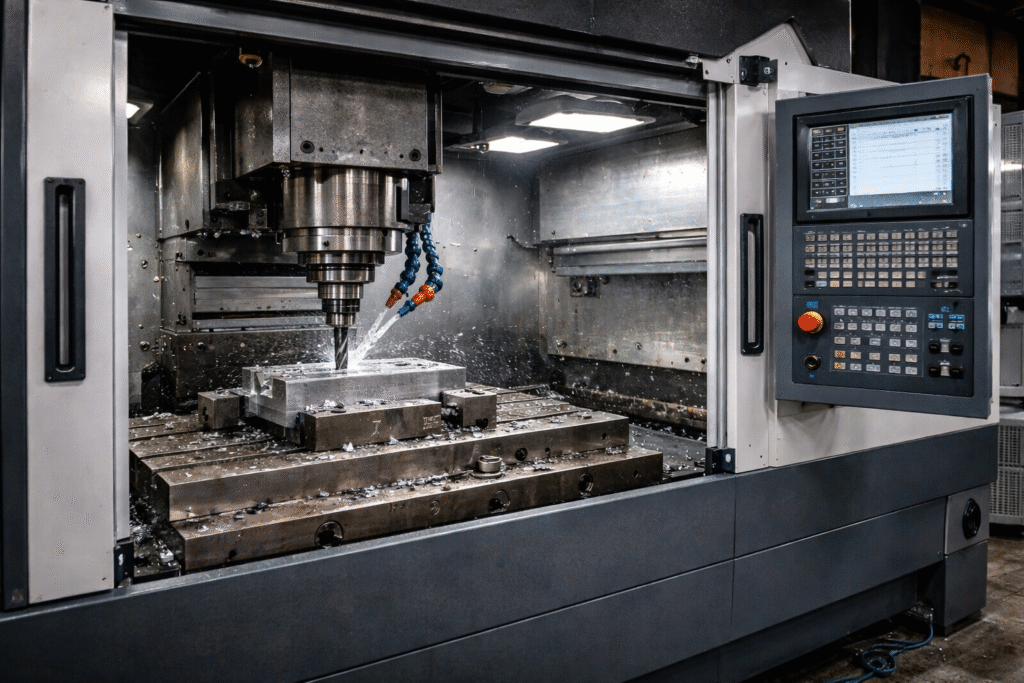
CNC stands for Computer Numerical Control. It’s a technology used in manufacturing where machines are controlled by computers to produce precise and intricate parts. Instead of being operated manually, CNC machines use computer-generated codes (G-Codes) to control the movement of tools, like drills and mills, to shape materials.
If you want to learn more about CNC machines and their applications, visit Mechinex’s CNC Solutions.
How Do CNC Machines Work?
CNC machines follow specific instructions that are created using computer software. Two important software types are used:
- CAD (Computer-Aided Design): This helps create 2D and 3D models of the part to be made.
- CAM (Computer-Aided Manufacturing): This software converts the CAD design into a machine-readable program called G-code, which directs the CNC machine on how to move and shape the material.
Once the G-code is sent to the CNC machine, the machine cuts away excess material from the workpiece, a process called Subtractive Manufacturing, to match the original design.
Flow Chart of the CNC Process
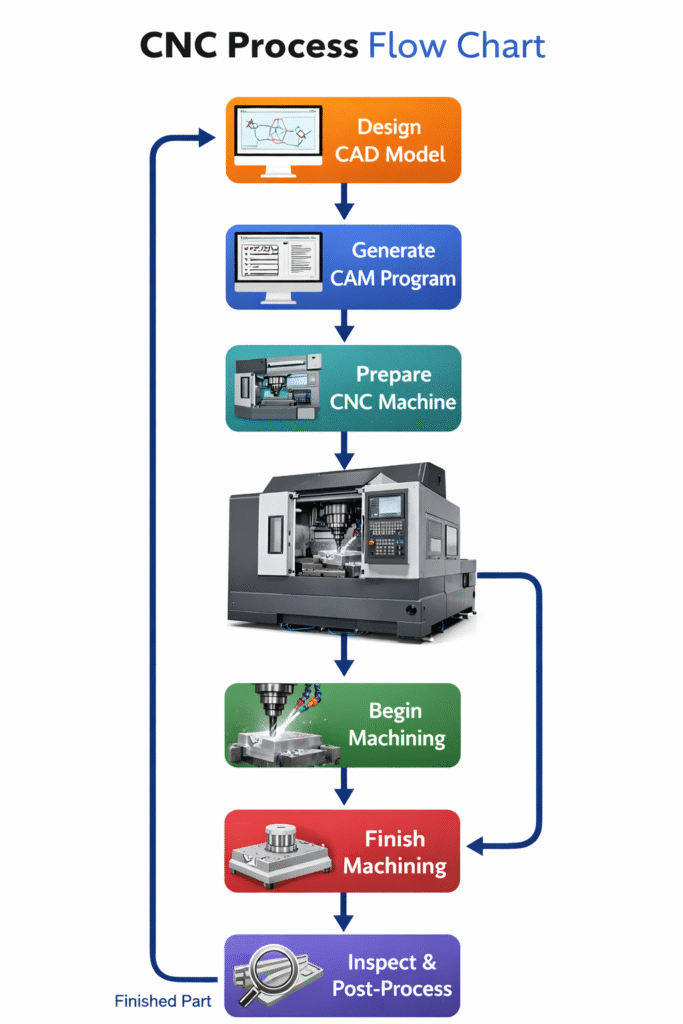
The CNC process can be broken down into several key steps:
- Design & Code Generation Phase
This phase focuses on planning and creating the instructions for the CNC machine.
- Create CAD Model- A detailed 3D model of the part is designed using CAD (Computer-Aided Design) software.
- Generate CNC Program (G-code)- The CAD model is converted into G-code, which tells the machine exactly how to move and shape the material.
2.Setup Phase
Setting up the machine and materials is crucial to ensure smooth machining.
- Choose the Workpiece Material- Select the type of material (like metal or plastic) needed for the part.
- Secure Workpiece on the Machine- Fix the material firmly to avoid movement during machining.
- Load Tools and Fixtures- Install the necessary cutting tools and any fixtures required for the operation.
3.Machining Phase
This is where the actual cutting and shaping of the material occur.
- Load the CNC Program-Upload the G-code into the CNC machine’s system.
- Set Parameters (like speed and feed rate)-Adjust settings such as cutting speed and feed rate to match the material and design.
- Start the CNC Machine-The machine begins following the program, shaping the workpiece as instructed.
4. Monitoring Phase
Monitoring ensures the process runs smoothly and problems are quickly addressed.
- Observe the Machining Process-Watch the operation to ensure it runs as planned.
- Check for Tool Wear- Look for signs of worn-out tools that might affect quality.
- Make Adjustments as Needed- Modify parameters or tools if issues arise during machining.
5. Post-Machining Phase
Once the part is machined, additional steps may be required.
- Remove the Finished Part-Detach the completed part from the machine
- Inspect the Part for Quality- Check dimensions and finish to ensure they meet specifications.
- Perform Additional Operations if Necessary-Apply further processes, such as polishing or assembly, if needed.
6. Documentation Phase
The final step ensures all relevant information is recorded for future use.
- Record Machine Settings and Adjustments-Document any changes made during machining.
- Update the Program if Needed-Modify the G-code if improvements are identified.
The Four Stages of CNC Machining
Stage 1: Creating the CAD Model
Every CNC project starts with a digital blueprint of the part, known as a CAD (Computer-Aided Design) model. This model can be either a 2D or 3D representation, created using design software like AutoCAD or SolidWorks. It serves as the foundation for the entire machining process.
Stage 2: Converting the CAD Model to G-code
Since CNC machines cannot directly interpret CAD files, the design needs to be translated into a language the machine understands — G-code. G-code contains instructions for the machine’s movements and operations. This conversion is done using CAM (Computer-Aided Manufacturing) software or through integrated tools in some CAD programs.
Stage 3: Setting Up the CNC Machine
Once the G-code is ready, the machine must be properly set up. This includes loading the raw material (workpiece) onto the machine and installing the necessary tools and fixtures. Careful configuration is essential, as mistakes at this stage can impact the accuracy of the final product. Some software, like MillSoft, can automate the creation of toolpaths and help fine-tune machine settings for improved efficiency.
Stage 4: Running the Machining Operation
With everything in place, the CNC machine follows the G-code instructions to cut, shape, or drill the material into the desired form. During this phase, the operator keeps an eye on the process to catch any issues, such as tool wear or alignment errors, and makes adjustments if necessary to ensure quality results.
This four-step process ensures CNC machining is precise, efficient, and capable of producing high-quality parts for a wide range of applications.
Common Parts of a CNC Machine
Understanding the basic parts of a CNC machine can help you grasp how it works:
- Control Unit: The brain of the CNC machine that interprets the G-code and manages movements.
- Drive Motors: Move the machine’s axes, either through stepper motors or servo motors.
- Linear Guides & Rails: Ensure smooth movement of the axes.
- Spindle: Holds and rotates the cutting tool at high speeds.
- Tool Holder: Holds cutting tools in place during machining.
- Worktable: The surface where the workpiece is fixed.
- Cooling System: Prevents the machine and workpiece from overheating.
- Feedback Systems: Provide real-time data on machine performance.
- Power Supply: Powers the machine’s components.
- Safety Features: Includes emergency stops and safety covers to protect the operator.
Real-World Example of CNC Machining
Many industries rely on CNC machining, from automotive to aerospace. For example, in the aerospace industry, precision parts like turbine blades are crafted using CNC machines because of their high accuracy. Even small workshops now use CNC machines for rapid prototyping and manufacturing.
Want to know more? Check out our advanced CNC solutions at Mechinex.
Conclusion
CNC machines are the backbone of modern manufacturing, allowing companies to produce accurate and complex parts quickly and efficiently. By automating the cutting and shaping process, CNC technology makes production faster and more reliable.If you’re interested in learning more or exploring the potential of CNC machines for your business, check out ProMill CNC Machines and MillSoft.