
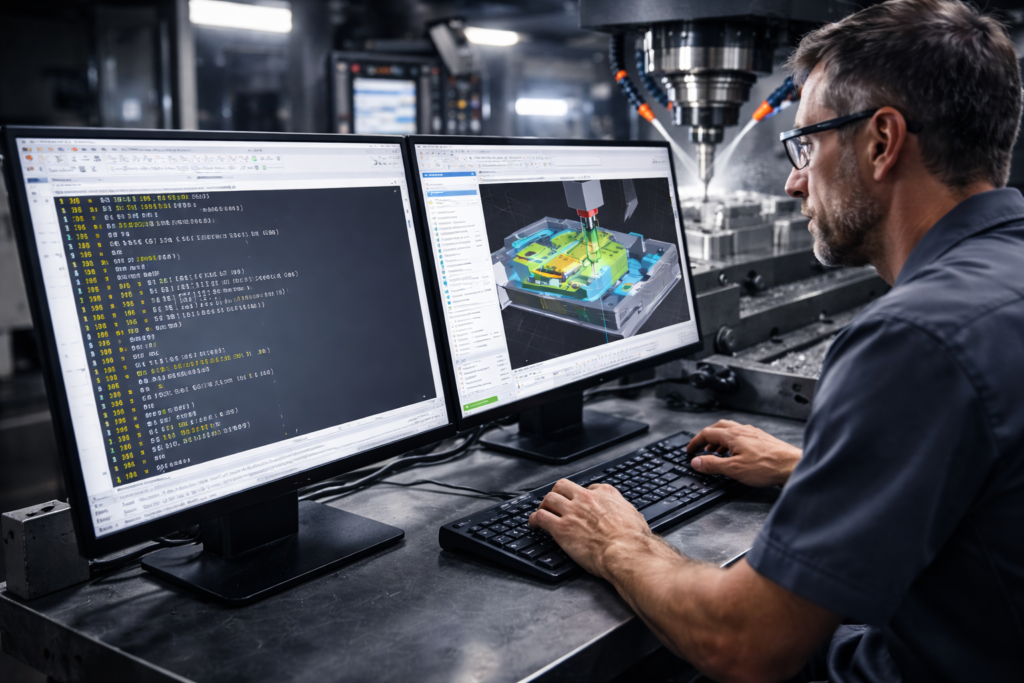
Unveiling the Power of CNC Programming
Imagine a world where complex machinery operates with pinpoint accuracy, performing tasks that were once deemed impossible. Welcome to the realm of CNC programming! For businesses like Mechinex, CNC programming is a cornerstone of precision manufacturing, enabling us to deliver high-quality solutions.
But what exactly is CNC programming, and why is it crucial for modern manufacturing? In this blog, we’ll break down the basics, its importance, and how beginners can start their journey into this fascinating field.
What is CNC Programming? Breaking Down the Basics
CNC (Computer Numerical Control) programming refers to the process of creating instructions that guide CNC machines to perform specific tasks. These machines automate manufacturing processes, enabling operations such as cutting, drilling, milling, and turning with extreme precision.
CNC programming ensures that machines follow the exact specifications required to produce a part. It eliminates human error and standardizes the manufacturing process, ensuring consistency and quality across production runs.
Key Components of CNC Programming
- G-Code and M-Code: The Languages of CNC
CNC machines understand a specific set of instructions, primarily written in G-code and M-code:
G-Code: Handles motion-related tasks like moving the tool, specifying speed, and controlling feed rates. Example:
G01 X10 Y15 F100
- This line instructs the tool to move to the position (X10, Y15) at a feed rate of 100 mm/min.
M-Code: Manages auxiliary operations such as turning the spindle on or off, or activating the coolant. Example:
M03 S500
- This starts the spindle at 500 RPM.
- Types of CNC Machines
CNC programming adapts to a variety of machines, each serving unique purposes:
- CNC Lathe Machines: For cylindrical parts, performing operations like turning and threading.
- CNC Milling Machines: Suitable for creating complex 3D shapes by removing material.
- CNC Routers: Often used for wood, plastics, and softer metals, making intricate designs.
- CNC Plasma Cutters: Perfect for cutting through metal sheets using a plasma torch.
- The Role of CAM Software
Computer-Aided Manufacturing (CAM) software like Fusion 360 or Mastercam simplifies CNC programming. It converts digital 3D designs into machine-readable instructions, optimizing toolpaths for speed and efficiency.
The Workflow of CNC Programming
CNC programming is a structured process:
- Design Phase: The part’s blueprint is created using CAD (Computer-Aided Design) software.
- Programming Phase: A CNC programmer translates the design into G-code and M-code, specifying the sequence of operations.
- Simulation: Software simulations test the program, ensuring it performs as expected without damaging the machine or wasting materials.
- Execution: The program is loaded into the CNC machine, and the actual manufacturing begins.
Benefits of CNC Programming in Modern Manufacturing
- Unmatched Precision:
CNC machines execute tasks with micrometer accuracy, ensuring parts meet exact specifications. This is especially critical in industries like aerospace and healthcare, where precision directly affects safety and functionality. - Improved Efficiency and Speed:
Automation allows CNC machines to work continuously without breaks, drastically reducing production times compared to manual machining. - Cost Savings:
Though the initial investment is high, CNC programming minimizes waste and reduces labor costs, resulting in significant savings over time. - Scalability and Versatility:
CNC machines are adaptable, capable of handling single prototypes or large-scale production runs across diverse industries.
Getting Started with CNC Programming
If you’re a beginner, here are steps to start your CNC programming journey:
- Learn the Basics of G-Code and M-Code: Begin with simple operations, such as linear and circular movements.
- Familiarize Yourself with CAD/CAM Tools: Software like AutoCAD and SolidWorks helps you design parts, while CAM software converts designs into CNC programs.
- Understand the Machine’s Capabilities: Each CNC machine has unique capabilities and limitations; knowing these helps optimize your programming.
- Practice Simulation: Use simulation software to test your programs without risking material or equipment.
Case Studies or Real-World Examples
Case Study: Tata Motors
Tata Motors, a leader in the Indian automotive industry, utilizes CNC machines extensively in its production lines. By implementing advanced CNC programming techniques, they have achieved:
- 30% reduction in production time.
- Enhanced quality of vehicle components.
- Significant cost savings due to minimal material wastage.
This showcases the transformative power of CNC programming in driving business success.
Technical Insights
1. Understanding Axes: Most CNC machines operate on X, Y, and Z axes, while advanced machines may include additional rotational axes.
2.Toolpath Optimization: Efficient programming reduces wear and tear on tools.
3.Simulation Software: Testing programs in a virtual environment prevents costly mistakes.
For businesses, investing in CNC programming expertise can lead to better ROI and streamlined operations. Explore our CNC solutions at Mechinex.
Conclusion
CNC programming is more than just coding; it’s the art of transforming ideas into tangible, precision-engineered products. For beginners, understanding the basics is the first step toward a rewarding career in manufacturing.
At Mechinex, we’re passionate about equipping industries with cutting-edge CNC solutions. Ready to revolutionize your production processes?